Urdu Phonetic Keyboard Free Download for Windows PC
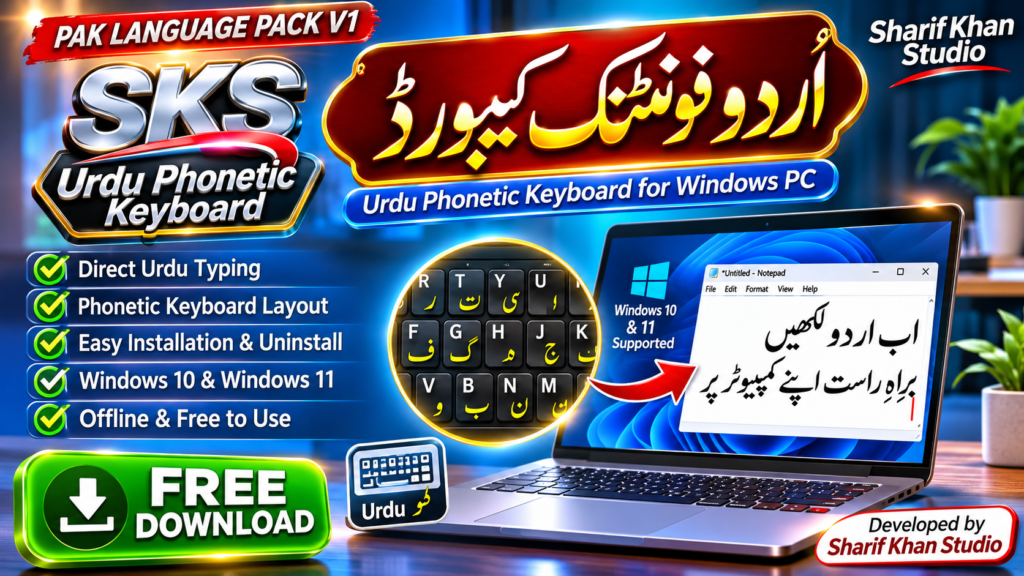
PAK LANGUAGE PACK V1 – SKS Urdu Phonetic Keyboard
Are you looking for a reliable and easy-to-use Urdu Phonetic Keyboard Free Download for your Windows PC? Introducing PAK LANGUAGE PACK V1 – SKS Urdu Phonetic Keyboard, developed by Sharif Khan Studio.
This free Urdu typing keyboard allows you to write Urdu directly on your computer using familiar English keyboard positions. You no longer need to type Roman Urdu and convert it into Urdu using separate software.
SKS Urdu Phonetic Keyboard integrates with the Windows language system, allowing you to switch between English and Urdu quickly and conveniently.
What Is PAK LANGUAGE PACK?
PAK LANGUAGE PACK is a Windows keyboard software project developed by Sharif Khan Studio. Version 1 includes the SKS Urdu Phonetic Keyboard, designed for convenient Unicode Urdu typing.
Once installed, you can select the keyboard from the Windows taskbar and start typing Urdu in compatible applications such as Notepad, Microsoft Word, web browsers, and messaging platforms.
The keyboard works offline and does not require a separate application to remain open.
Main Features of SKS Urdu Phonetic Keyboard
- Free Urdu Keyboard: Download and use the keyboard without a purchase.
- Direct Unicode Urdu Typing: Write Urdu text directly without Roman Urdu conversion.
- Easy Phonetic Layout: Familiar English keyboard positions make Urdu typing easier.
- Windows Taskbar Integration: Select SKS Urdu Phonetic directly from the Windows language menu.
- Quick Language Switching: Press
Windows + Spaceto switch between English and Urdu. - Offline Typing: No internet connection required after installation.
- Lightweight Design: No additional typing editor or background converter is needed.
- Easy Installation: Install using the included Windows setup application.
- Uninstall Support: Remove the keyboard through Windows Installed Apps.
- Unicode Text Support: Suitable for applications that support Urdu Unicode characters.
Software Details
| Software Information | Details |
|---|---|
| Software Name | PAK LANGUAGE PACK – SKS Urdu Phonetic |
| Version | 1.0 Stable |
| Developer | Sharif Khan Studio |
| Software Category | Keyboard Layout / Urdu Typing Software |
| Supported Language | Urdu |
| Windows 11 (64-bit) | Tested and Working |
| Windows 10 (64-bit) | Expected Compatible – Not Yet Tested |
| Internet Required | No, for typing |
| License | Freeware |
| File Format | ZIP Package with EXE Installer |
| Official Website | https://sharifkhanstudio.com |
Why Choose SKS Urdu Phonetic Keyboard?
Easy Urdu Typing for Beginners
SKS Urdu Phonetic Keyboard is designed to make Urdu typing more accessible. Users familiar with an English keyboard can learn to type Urdu using phonetic character positions.
Perfect for Students and Teachers
Students can write Urdu assignments, educational notes, and homework. Teachers can prepare Urdu worksheets, lesson plans, and classroom materials.
Helpful for Writers and Content Creators
Bloggers, journalists, YouTubers, and digital creators can prepare Urdu articles, scripts, video descriptions, and social media captions.
Direct Typing Without Conversion
Unlike online Roman Urdu converters, SKS Urdu Phonetic Keyboard types Urdu characters directly. This saves the extra steps of converting and copying text between applications.
Convenient English and Urdu Switching
Switch between your English keyboard and SKS Urdu Phonetic using the Windows taskbar or the Win + Space shortcut.
How to Install SKS Urdu Phonetic Keyboard
Follow these simple installation steps:
- Download the PAK LANGUAGE PACK V1 ZIP file from Sharif Khan Studio.
- Right-click the downloaded file and select Extract All.
- Open the extracted folder.
- Locate the
setup.exeinstallation file. - Double-click
setup.exeand complete the installation. - Press
Windows + Spaceto open the keyboard selection menu. - Select Urdu (Pakistan) – SKS Urdu Phonetic.
- Open Notepad or another Unicode-compatible application and start typing Urdu.
If the keyboard does not appear immediately, check your Windows language and keyboard settings or restart your computer.
How to Uninstall PAK LANGUA
PAK LANGUAGE PACK – SKS Urdu Phonetic
Free download. No payment required. Donations are voluntary and do not affect access.